State Restrictions App
For plant retailers.
Some plants can't legally ship to certain states. Our free app — LGL Shipping Validation — blocks checkout when a customer tries to ship a restricted plant somewhere it can't go. No compliance headaches, no surprise returns.
We build it, we run it, we keep it current. The restriction data lives on our side and syncs to your products automatically. You install it once — that's it.
Install it
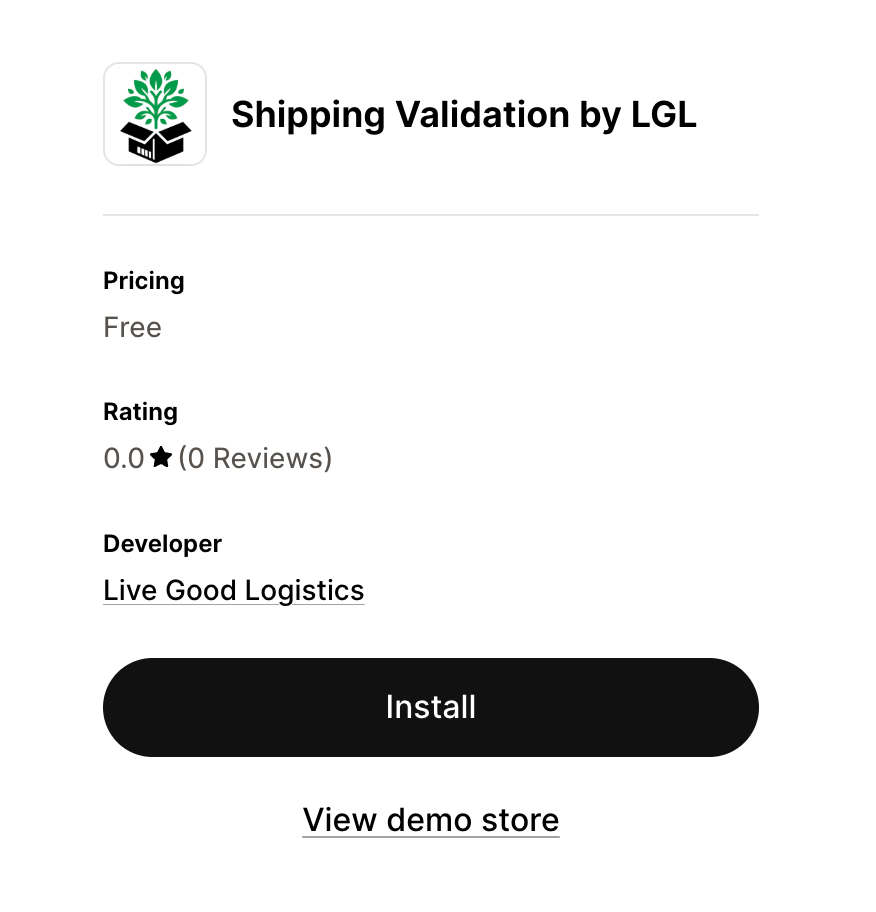
👉 Get the app on the Shopify App Store — it's free.
Works on every Shopify plan
| Feature | Plans |
|---|---|
| Checkout blocking — stops restricted orders from completing | All plans |
| Checkout banner — a friendlier red banner with a one-click "Remove restricted items" button | Shopify Plus only |
| Growing Zone widget — shows customers their USDA growing zone (optional) | All plans |
Blocking works on every plan, including express checkouts — Shop Pay, PayPal, Google Pay, and Apple Pay. On non-Plus stores the customer just sees Shopify's standard error styling instead of our banner; the blocking itself is exactly the same.
Setting it up
1. Install the app
Install from the App Store link above. If Shopify asks you to approve permissions, accept.
2. Open the app once
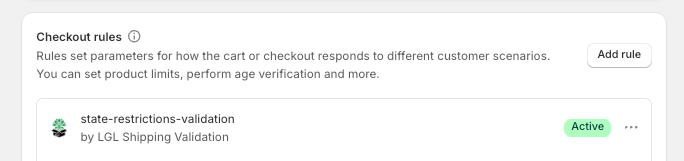
Opening the app automatically turns on checkout blocking — nothing to configure. You can see the rule under Settings → Checkout → Checkout rules, where it shows as state-restrictions-validation.
3. On Shopify Plus? Add the banner (recommended)
- Go to Settings → Checkout and click Customize on your published checkout.
- In the editor's Apps panel (the puzzle icon), add checkout-growing-restrictions.
- Click the block and turn on both toggles: Allow app to block checkout and Include block in Shop Pay.
- Click Save.
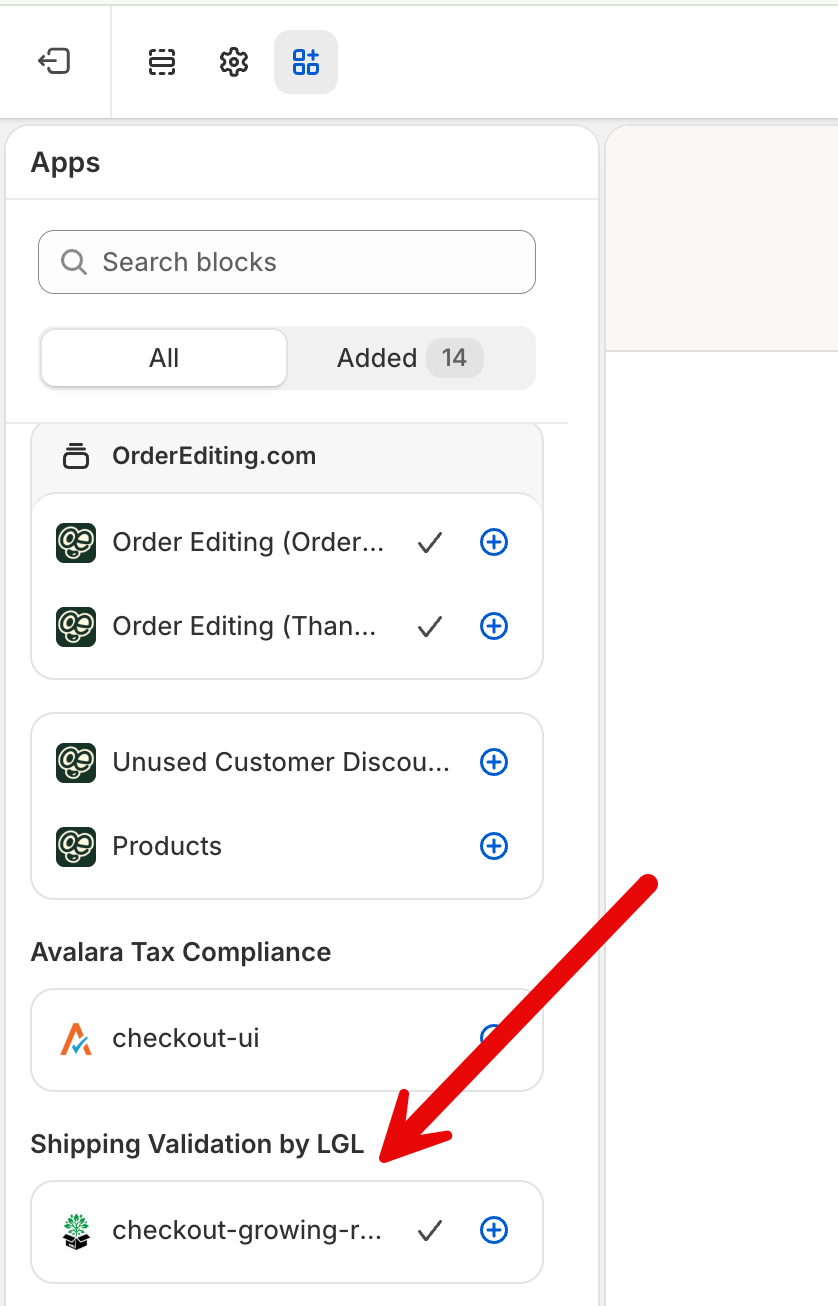
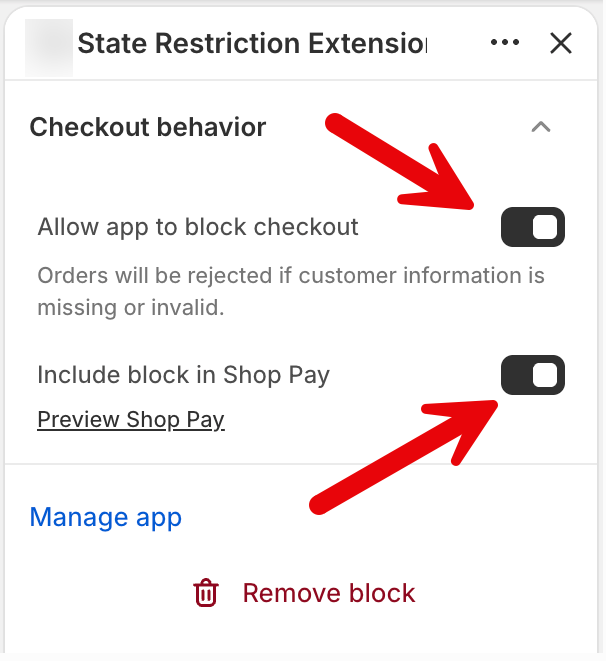
The block pins itself below the delivery address section. The app's home page also has an Open checkout editor button that takes you straight there.
The restrictions manage themselves
There's nothing for you to tag, edit, or maintain — we sync all restriction data to your products and keep it current as state regulations change.
Restrictions are set per variant: the same plant can come from different growers in different regions, so one size may be restricted in a state where another size isn't. Customers only ever see restrictions for the exact item in their cart. Alaska and Hawaii are never deliverable, so they're included for every restricted item.
Bundles are covered too. If you sell plant-plus-planter bundles (Simple Bundles variants), the bundle variant automatically carries the combined restrictions of everything inside it — a bundled restricted plant is blocked exactly like the plant on its own.
Leave the synced data alone
Checkout blocking is powered by a per-variant metafield we manage — you may see it on variants as "Restricted States (derived)". Please don't edit or delete it; it's what keeps checkout compliant.
You may also see legacy rs_XX product tags (like rs_CA). These are retired — the app doesn't read them and LGL stopped updating them in October 2026, so they may be out of date. You can ignore or remove them. If your theme uses rs_XX tags to display restrictions, contact us and we'll help you switch to the variant metafield. Most stores don't use them and don't need to do anything.
What your customer sees
We kept this gentle so it never kills a sale. The message names the exact item ("Calamondin Orange Bush — 1 Gallon") and gives the customer two easy outs: ship somewhere else, or drop just that item and check out with the rest.
On all plans, checkout is blocked with a message like:
Due to agricultural restrictions in Alaska, Intimate Ivory Calla Lily Bulbs — 5-pack can't be shipped to your address. Please remove it or ship to a different state.
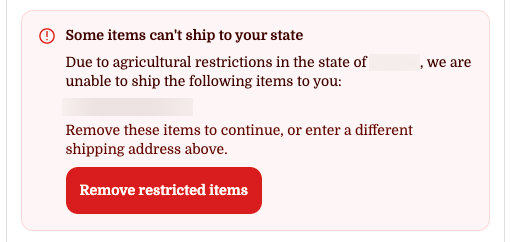
On Shopify Plus, customers instead see our red banner with a one-click Remove restricted items button:
Growing Zone widget (optional)
The app can also show customers their USDA growing zone. In the theme editor (Online Store → Customize → Apps), add the Growing Zone block to any section — product pages work well. The customer enters their zip once; the widget remembers it and shows their zone. Colors and label are configurable, and it won't affect your theme's styling.
For your theme developer
Enable the Growing Zone Provider app embed (Online Store → Customize → App embeds). It adds no UI, but exposes the customer's zone anywhere in the theme:
- Any element with
data-lgl-growing-zonegets its text set to the zone:Your zone: <strong data-lgl-growing-zone></strong> <html>gets a class likelgl-gz-7a, giving pure-CSS hooks:.lgl-gz-7a .my-badge { display: block; }- JavaScript:
window.LGLGrowingZone→{ zip: "10001", zone: "7b" } - Event:
document.addEventListener("lgl:growing-zone", (e) => { /* e.detail */ })
Testing your setup
- Add a restricted item to your cart and start checkout.
- Enter an Alaska shipping address (Alaska works for any restricted item).
- You should be blocked — the red banner on Plus, or Shopify's standard error at payment on other plans.
- Switch to an allowed state → the block clears.
- Always test in a fresh incognito window — Shopify caches checkout sessions.
Troubleshooting
- Banner doesn't appear at checkout (Plus) — check the block is added in the checkout editor, both toggles are on, and the checkout is saved. Retest in incognito.
- Nothing blocks — check the rule shows Active under Settings → Checkout → Checkout rules. Opening the app's home page once turns it back on.
- One size blocks but another doesn't — that's normal. Restrictions are per variant, because sizes can come from different growers.
- Something blocks in the wrong state / doesn't block — reach out to us and we'll sort it out.
- Growing zone shows "?" — the zip wasn't recognized; only 5-digit US zips are supported.
FAQ
Which Shopify plans are supported? All plans get full checkout blocking. The enhanced banner requires Shopify Plus.
Does it work with Shop Pay / Apple Pay / Google Pay / PayPal? Yes.
Does it block by billing or shipping address? Shipping (delivery) address.
Who decides what's restricted where? State agricultural regulations. We manage the data and sync it to your products — you don't maintain anything.
I see rs_CA-style tags on my products — what are they? Retired restriction tags. The app doesn't use them (blocking runs off a per-variant metafield) and LGL stopped updating them in October 2026, so they may be out of date — you can remove them. They only matter if your storefront theme reads them to display restrictions — if it does, contact us and we'll help you move to the variant metafield.
Can I temporarily disable blocking? Settings → Checkout → Checkout rules → turn off state-restrictions-validation. Keep in mind that shipping restricted plants into restricted states violates agricultural regulations — disable only if you know what you're doing.