
Welcome & Setup
Welcome to LGL Order and Inventory Sync! Here's the whole thing in one breath: you add our products to your store and make sales; we store, pack, and ship them to your customers. That's the deal.
This page gets you set up and oriented. It only takes a few minutes.
Your first few steps
- Install the app using the link from your LGL account manager.
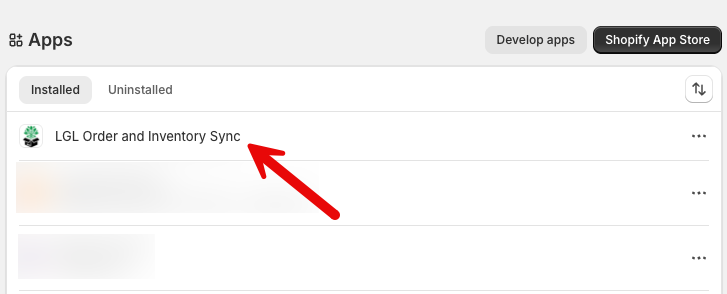
- Open LGL Order and Inventory Sync in your Shopify admin (under Apps). The first load takes a few seconds while your catalog loads — it's quick after that.
- Browse the catalog and import a few products you'd like to sell.
- Set your prices. The imported price is just our suggestion — you decide what to charge.
- Publish the products when you're happy with them.
- Place a test order if you'd like to see the flow end to end — it's a nice way to watch it work.
That's really it. From there, orders take care of themselves.
Selling plants?
We make a free app of our own that blocks checkout to states where a plant can't legally ship — it works on every Shopify plan, and we keep the state rules current for you. See State Restrictions.
What happens when you install
You don't need to configure anything — installing the app automatically:
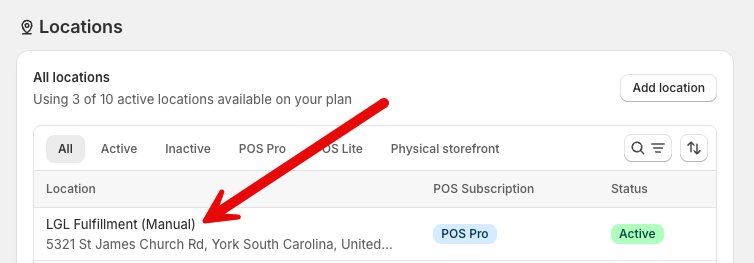
- Adds an LGL Fulfillment location to your store (this is where our products live)
- Connects your store so orders flow to us
- Sets up the behind-the-scenes syncing for orders, tracking, and inventory
Finding your way around
The app has a handful of pages:
| Page | What it's for |
|---|---|
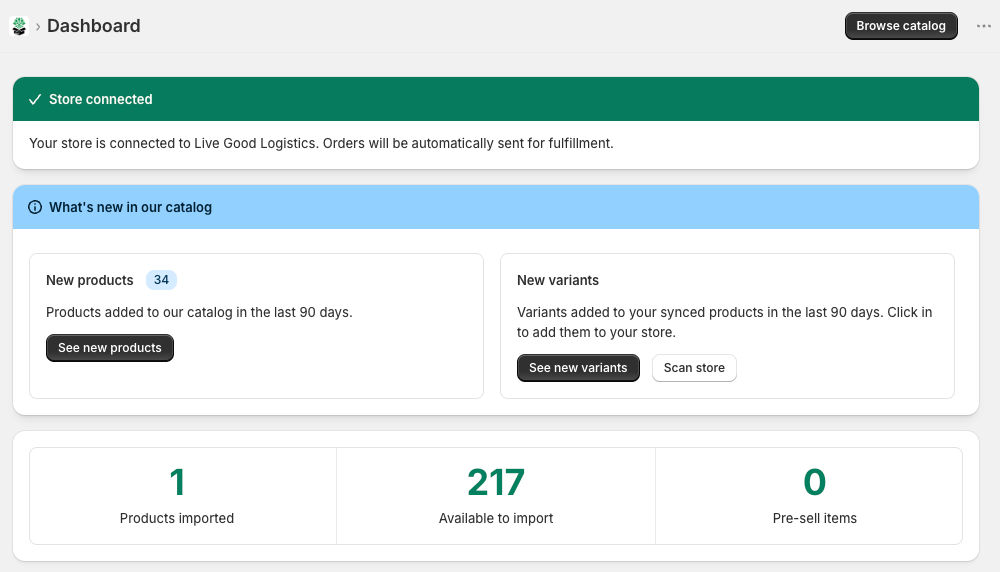
| Dashboard | Your home base — a quick overview, an order lookup, and what's new |
| Products | Browse our catalog and add products to your store |
| New Products | Anything we've added to the catalog in the last 90 days |
| New Variants | New sizes/options for products you already sell |
| Pre-sell | Products coming soon, with their expected arrival dates |
The Dashboard
The Dashboard is the first thing you'll see. At a glance it shows:
- Your numbers — how many products you've imported, what's available, and pre-sell items
- What's New — fresh products and variants since you last looked
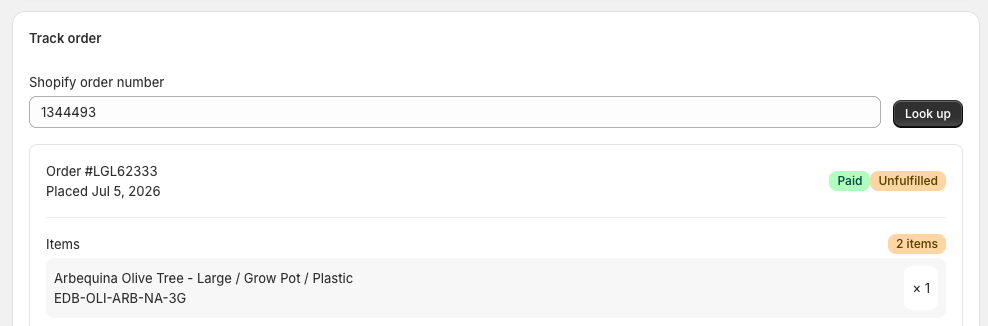
- Order lookup — type in a Shopify order number and we'll show you where that order stands. Handy when a customer asks "where's my order?"
Next up
Ready to add products? Head to Importing Products.