
Orders, Inventory & Tracking
This is the part where you get to relax. Once a customer places an order, there's nothing for you to do — we take it from here.
What happens after a sale
- Your customer checks out and pays.
- The order comes straight to us, with the shipping address and items.
- We pick, pack, and ship it.
- The tracking number lands back on your Shopify order automatically — and your customer gets Shopify's usual shipping email.
No forwarding orders, no manual entry. It just flows.
Which items come to us
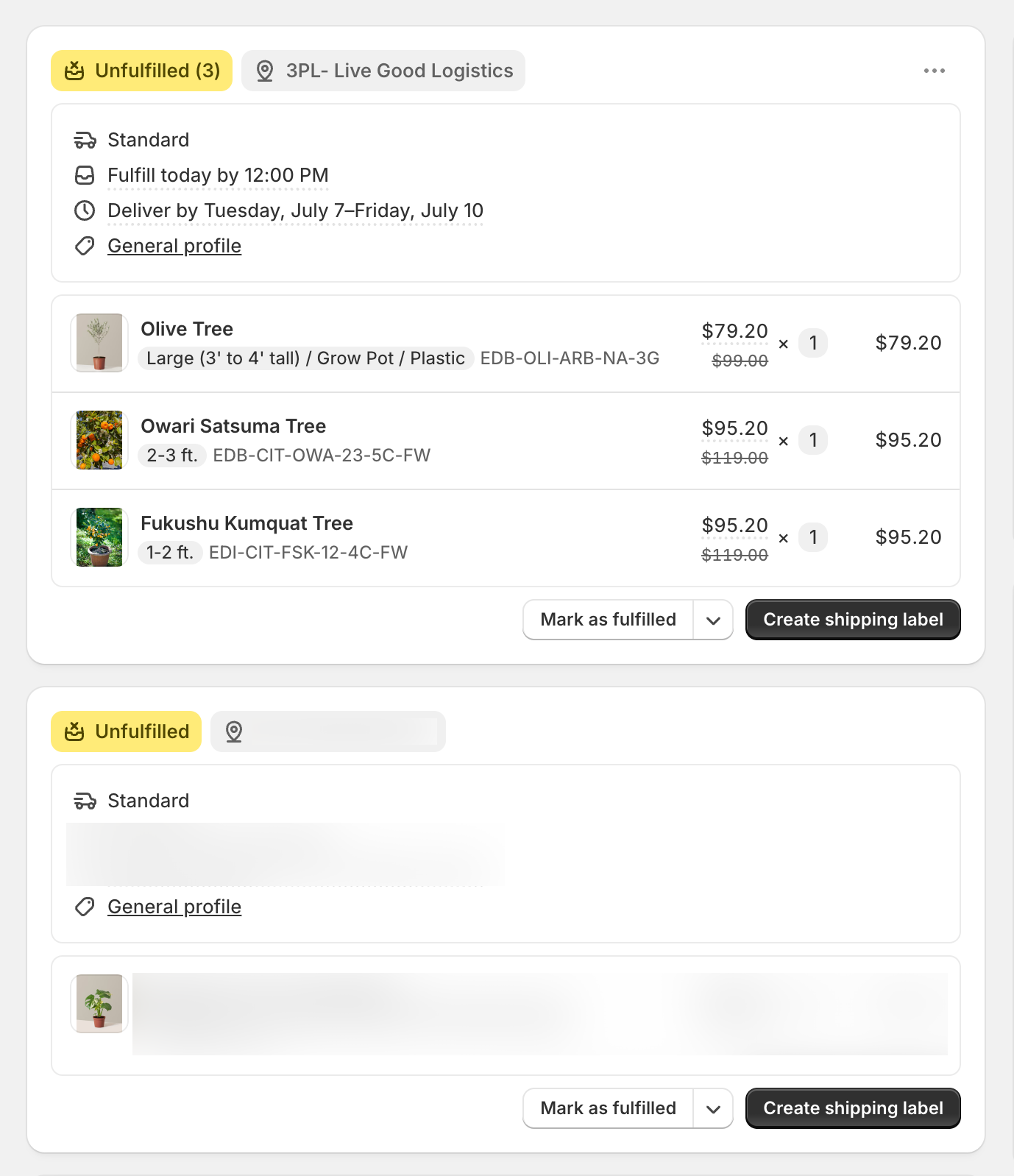
Only the products stocked at your LGL Fulfillment location come to us. If an order mixes our products with your own, we only handle ours — the rest stays with you to fulfill however you normally would.
Need to change or cancel an order?
A couple of these you can handle yourself, right in Shopify:
- Shipping address — edit it in Shopify (or let your customer do it through an order-editing app) before the order ships and the change reaches us automatically. Once we've shipped, the address is locked — reach out and we'll see what's possible.
- Cancelling — cancel in Shopify before it ships and we'll catch it. If it's already shipped, just reach out and we'll sort out a return.
- Changing quantities or swapping items — this one isn't automatic, so give your account manager a heads-up before the order ships.
Inventory
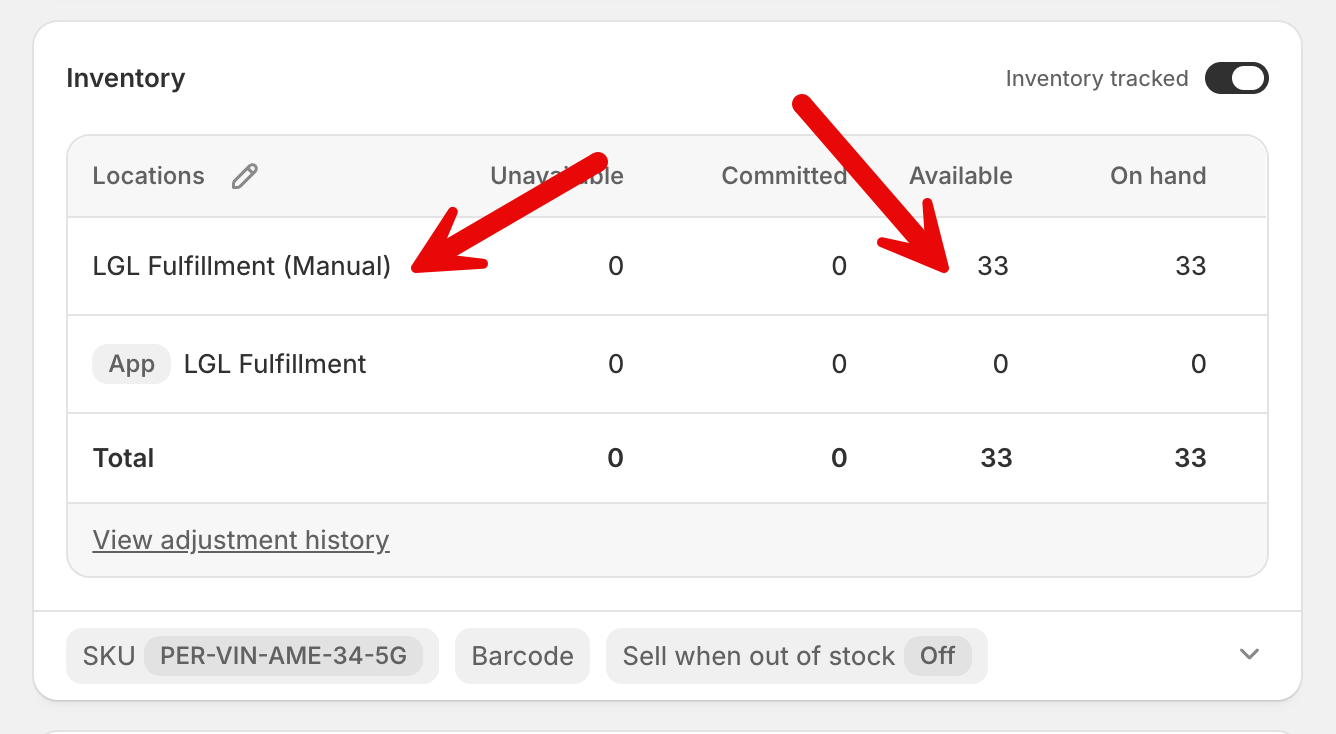
Stock levels sync from our warehouse in real time, so what your customers see stays accurate and you won't oversell. This only touches products at the LGL Fulfillment location — your own products and other locations are left alone.
Tracking
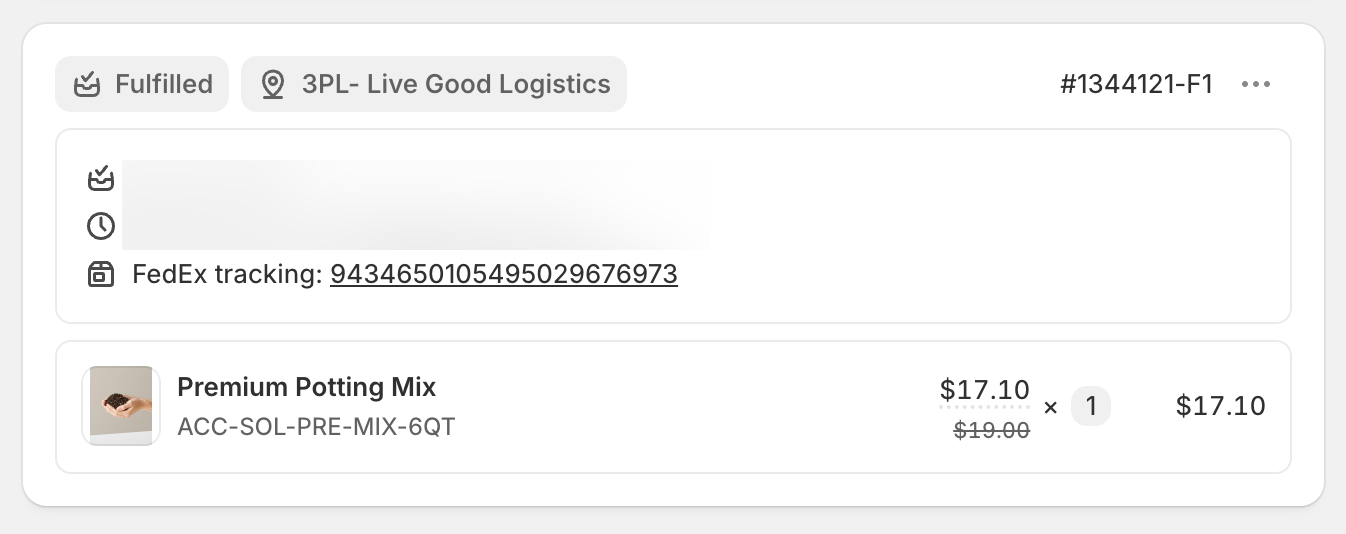
When we ship, the tracking number and carrier appear on your Shopify order on their own, and your customer is notified by Shopify. Most shipments go out via FedEx, UPS, or USPS.
Curious where an order is?
Pop the order number into the lookup on your app Dashboard to see its status anytime — often quicker than asking us.
If an order ever seems stuck or never reached us, no worries — see Getting Help and we'll take a look.