Importing Products
Adding products to your store is the main thing you'll do in the app — and it's quick. Browse, pick what you like, and bring it in.
Browsing the catalog
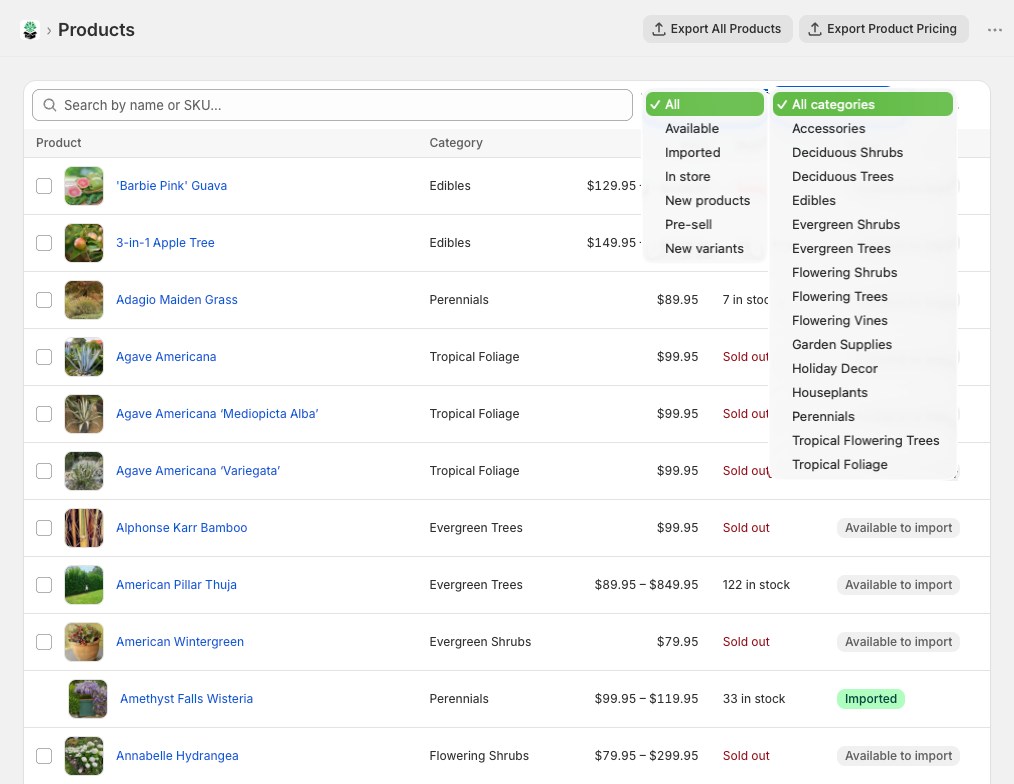
On the Products page you can search by name, SKU, brand/vendor, type, category, or tag, filter by category, and tick In stock to hide anything currently out of stock. The tabs up top help you focus:
- All — everything we offer
- Available — ready for you to add
- Imported — already in your store via this app
- In store — you already carry this SKU (added some other way)
- Pre-sell — coming soon, not in stock yet
Adding a product
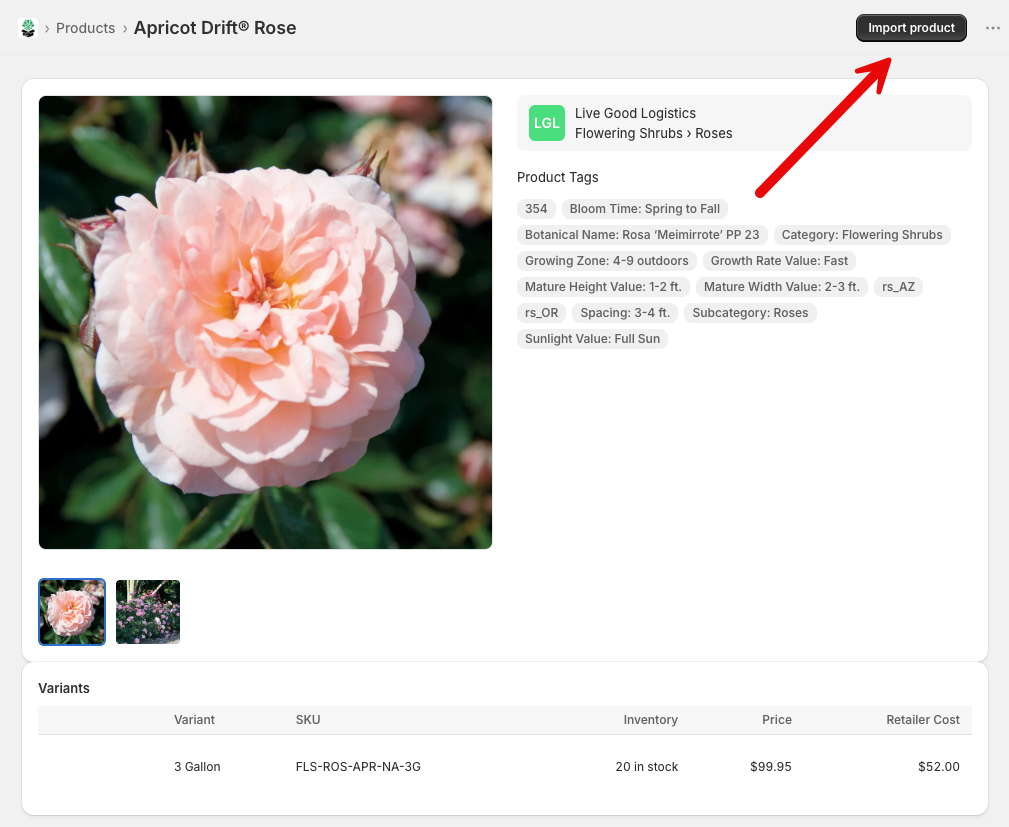
Click any product to see its details — variants, pricing, stock, and description. Hit Import product and it lands in your Shopify admin as a draft, ready for you to review.
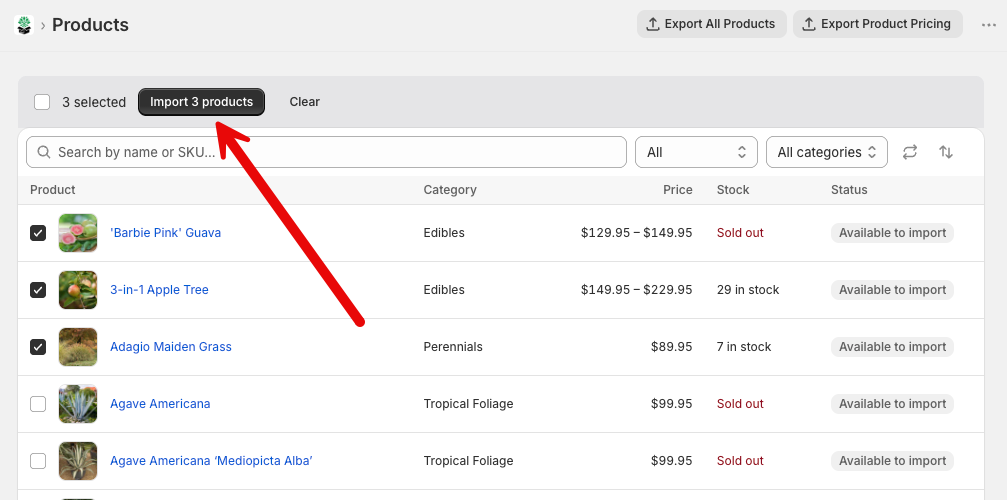
Want to add a bunch at once? Tick the checkboxes (or "Select all"), then click Import. A little progress window keeps you posted. Only products marked Available can be bulk-imported.
After you import
A few things worth knowing about freshly imported products:
- They come in as drafts, so nothing goes live until you publish.
- They're stocked from our LGL Fulfillment location, with inventory synced from us.
- The price is our suggestion — set your own before you publish.
- A variant we haven't finished setting up (no SKU yet) is left out of the import, and the success message names it. It can be added later from New variants once it's ready.
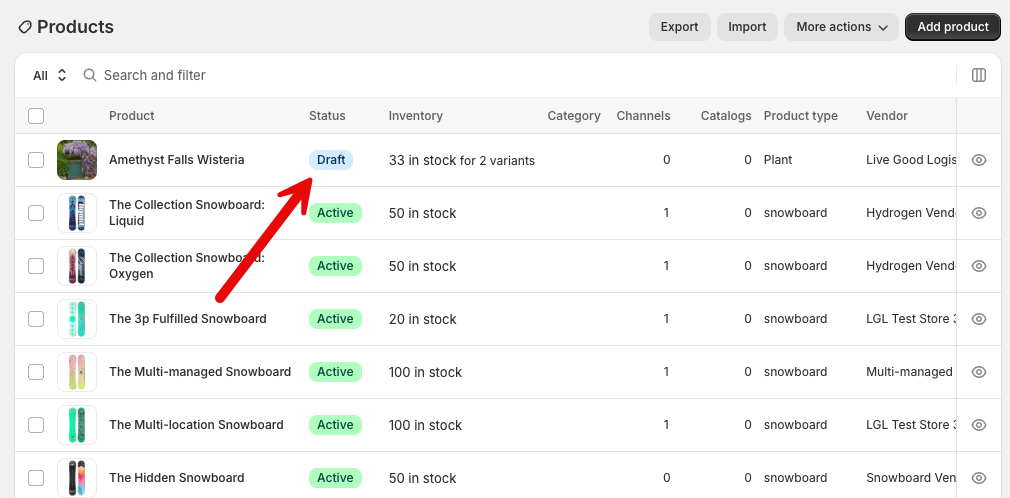
Set your prices first
The imported price is just a starting point. Adjust it to whatever works for your store before going live.
Product photos stay in sync — without touching yours
When we add new photos to a product in our catalog, they flow to your linked copy automatically (daily). The sync is add-only:
- New photos are added to your product if you don't already have them.
- Your own photos are never removed, replaced, or reordered — lifestyle shots, custom photography, whatever you've added stays exactly as-is.
- If a variant has no image assigned, we'll fill it with our photo for that variant. A variant you've already given an image is never changed.
So feel free to curate your product imagery however you like — the sync only ever fills gaps.
New variants can sync automatically (optional)
When we add a new size or variant to a product you already carry, it can be added to your store automatically — ask us to turn this on. Once enabled, a daily sync creates any new variants (with image, cost, and inventory) on your linked products. Variants that aren't in stock with us yet wait until they are.
Our team reviews every run. If a new variant can't be added automatically — usually because you've customized that product's options — it's skipped rather than forced, and we'll reach out if it needs adding by hand. Your product option names are never changed.
State restrictions stay in sync
Some plants can't legally ship to certain states. We sync that restriction data to every product you've imported or linked through the app automatically — per variant, since the same product can come from different growers with different legal ship-to states. When regulations change on our side, your products update within a few hours — nothing for you to manage.
A couple of things to know:
- You may notice a per-variant metafield named "Restricted States (derived)" — it's managed by LGL and powers checkout blocking, so please don't edit or delete it. Older products may also carry legacy
rs_XXtags: LGL no longer updates them and the app doesn't read them, so you can ignore or remove them. If your theme displays restrictions usingrs_XXtags, contact LGL to switch to the variant metafield. - Every other tag on your products is yours — we never change them.
- This data pairs with our free State Restrictions app, which blocks checkout for restricted destinations.
Pre-sell products
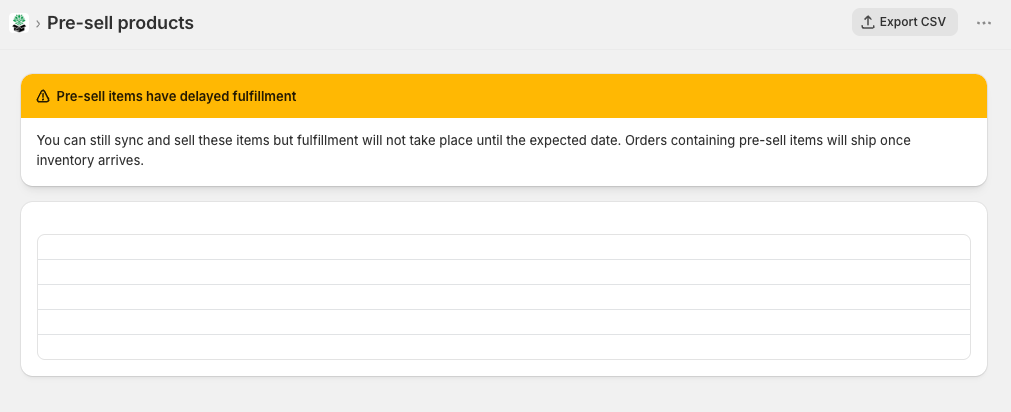
Pre-sell items are products we'll have in stock soon. You can list and sell them right away — orders just wait with us until stock arrives, then ship as normal. It's a nice way to build buzz before a launch.
On the Pre-sell page you can filter by category and date, export a list for planning, and import items just like any other product. The date badges tell you the timing at a glance:
- 🟢 Arriving within 7 days
- 🟡 Arriving later
- 🔴 Past the expected date (might be running behind)
A quick note on pricing
When you're browsing, each product shows two numbers:
- Price — our suggested retail price
- Cost — what you pay us
The gap between them is your margin. You're free to price however you like once a product's in your store.
Accessories cost less when a plant ships with them
Planters, care kits and other accessories have two costs: a standalone cost and a lower bundled cost.
The bundled cost applies when the accessory ships in the same box as a plant — adding a planter to a carton already going out costs us very little extra freight, so we pass that on. An accessory that ships on its own, or only alongside other accessories, is billed at the standalone cost, because that shipment costs us a full label either way.
So the same planter can appear on one invoice at the bundled cost and on another at the standalone cost. Nothing is wrong — it depends on what shipped with it.